Build the perfect workflow with Automation!
Create your own customised email automation workflows with ease. Automate workflows for different conditions, at scale and with complete control.
How a Powerful Automation Workflow Builder Helps
Ensure Better Reach with Multiple Trigger Points
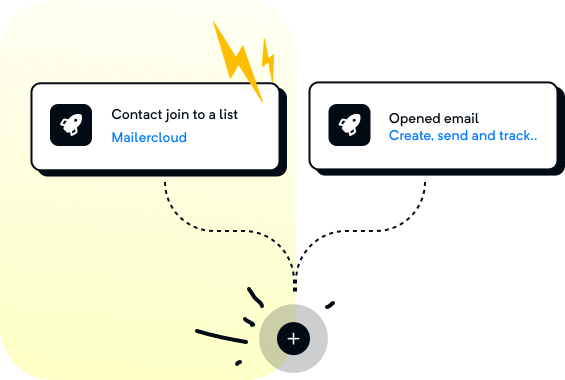
Set up email automation workflows as per the contact activity, campaign activity. Add multiple trigger points in the same automation workflow to shorten the sales/marketing cycle. This broadens the entryway into your automations. Thus, empowering you to create more dynamic email automation workflows, while saving time.
Set the Optimal Delay
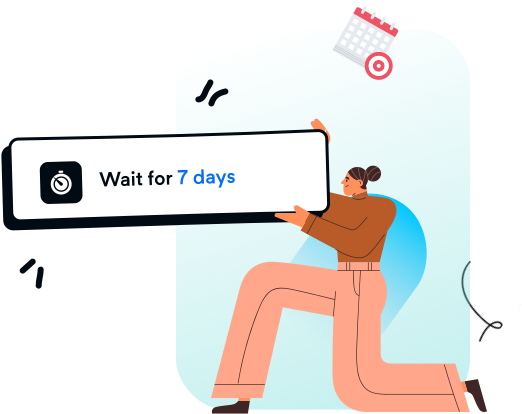
Add a favorable delay condition to the email automation workflow to trigger the email at a specific time or after a specific time period.
Add Trigger Conditions for Email Automation
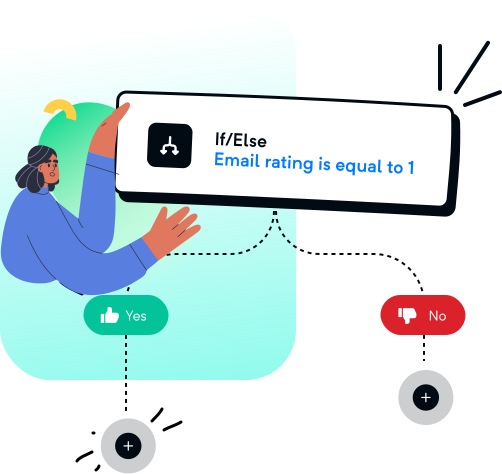
Attach If/Else, 50/50 split or wait condition to the email automation workflow as per the need. Shoot trigger-based emails as soon as a contact's property value changes.
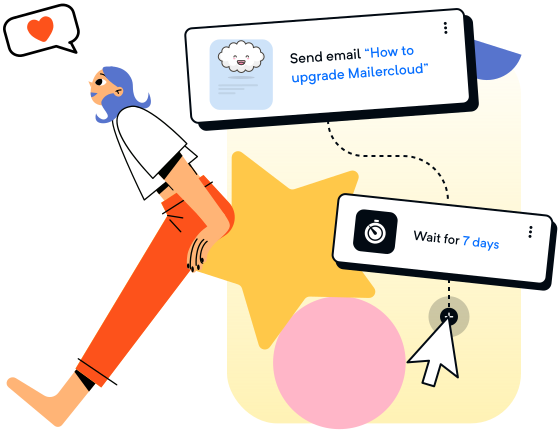
User-friendly Interface
Easy to build automation flows that saves both time and effort. Whether simple or complex automation flows - everything can be automated.
Unify your data for an organized, holistic, and always up-to-date view of your customers
Use the data you have to power advanced marketing automations
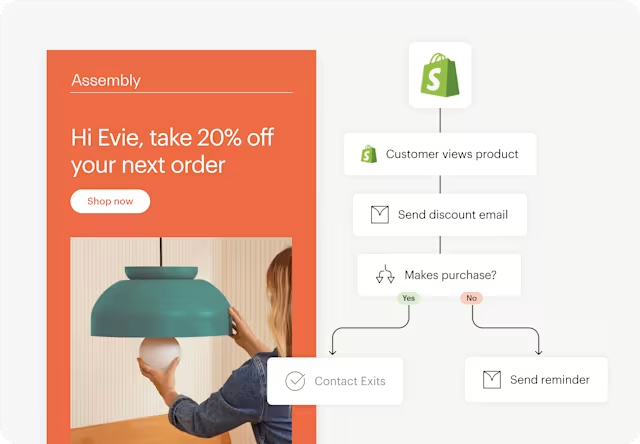
Leverage the tools you already use to make an even bigger impact. Integrations like Shopify let you use audience behavioral data to trigger actions, like sending a product-specific email to a customer based on what they searched for on your website.
Benefits of using Email Automation

Save Time Automatically
Automate repetitive emails and free up your team to focus on what truly matters.

Personalized Engagement
Send smarter, behavior-based messages that boost opens and clicks.

Better Lead Nurturing & Conversions
Nurture leads with automated journeys that turn prospects into customers.

Scales With Your Growth
Deliver consistent communication to thousands—without extra effort.
Begin your journey with Email Automation. Capture what your customers want and take action—automatically
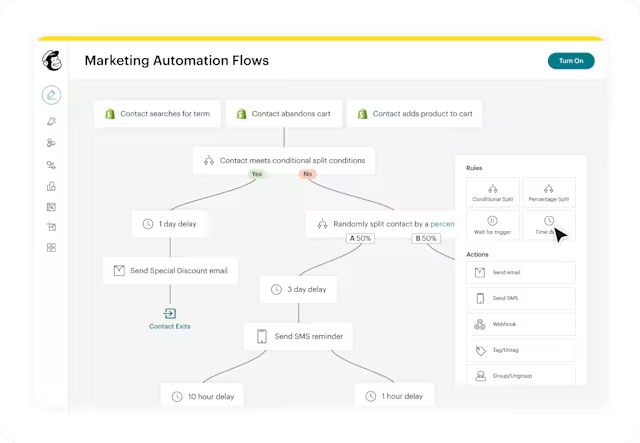
Drive revenue by automating the whole customer flow
Drive repeat business, retain customers, reward big spenders, and more with automations. Marketing automation flows generated up to 8x more orders for users with connected stores than bulk emails.
“Rapbooster + Zapier integration allows us to save time and also allows us to accurately segment the audience that we wish to target and just makes everything seamless.”
Shapeways Louise Lau, Performance Marketing Manager
283%
Open rate increase
525%
Click-through-rate increase

Endless possibilities.
Enhance your experience with a wide variety of integrations.
From everyday essentials to powerful pro add-ons.

Frequently Asked Questions
Get your business verified on WhatsApp. Apply for the Blue tick verification free of cost with Rapbooster. Learn how!
Rapbooster offers powerful marketing automation that helps you send personalized, trigger-based emails without being online. You can automate messages based on customer actions—like sign-ups or purchases—so you stay connected at the right time while focusing on other important tasks.
You can’t edit sent Rapbooster campaigns, but if it’s unsent or paused, you can update triggers, schedule, segments, and post-send actions—then click “Resume” to apply the changes.
To set up marketing automation, first connect your store to Rapbooster so you can use customer data for personalized emails. The Free plan supports only one automation, while the Standard and Premium plans let you build full customer-journey workflows. After connecting your store, go to the Automations section, click “Create,” and choose “Classic Automation.”
Automated marketing uses technology to send emails automatically based on customer actions—like cart abandonment or purchases—so you don’t have to write them manually. This keeps shoppers engaged at every stage of their journey and helps build loyalty, with 80% of consumers more likely to buy from brands that offer personalized experiences.
Marketing automation is a set of automated messages that are triggered by customer actions, like sign-ups or purchases. Email automation is a set of automated messages that are triggered by time, like a daily newsletter or a weekly email campaign.
Ready to start a conversation?
Get connected to see how Rapbooster Conversation Cloud can support you in reaching your business and customer engagement goals.