
Sell Directly Inside WhatsApp Chat
Turn conversations into conversions with an interactive WhatsApp Commerce Catalog that lets customers browse, add to cart, and pay — without ever leaving WhatsApp.
Stop sending website links. Start closing sales in chat.
- Up to 150x ROI
- 7x Conversions
- 3x Boost in sales
Powered by Official WhatsApp Business API
Your Customers Are Dropping Off Before Checkout
Every extra click is a lost customer. In WhatsApp marketing, friction kills conversions.
You send a website link
Customer waits for page to load
They browse… then get distracted
Checkout feels long and complicated
They abandon the cart
Every extra click = lost revenue.
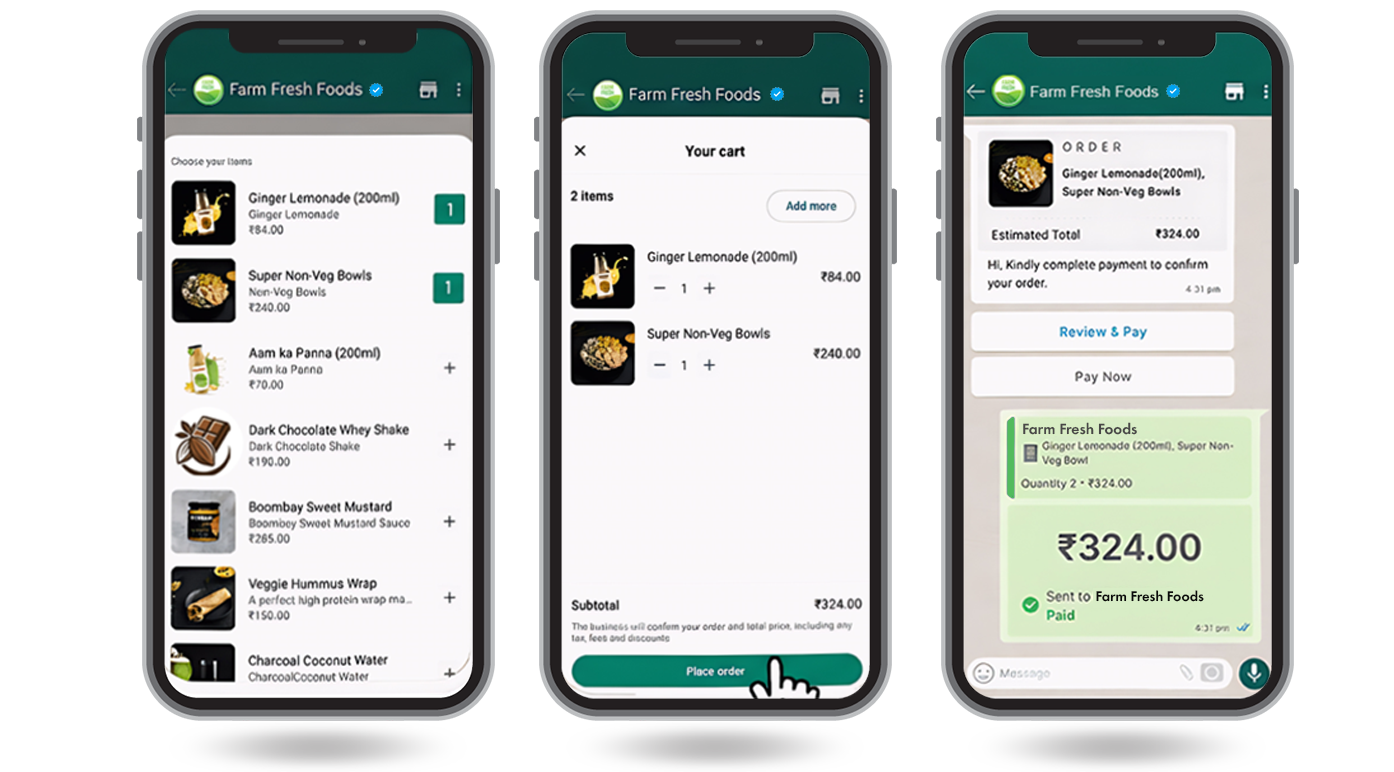
Interactive WhatsApp Commerce Catalog
Imagine this — all within the same chat window:
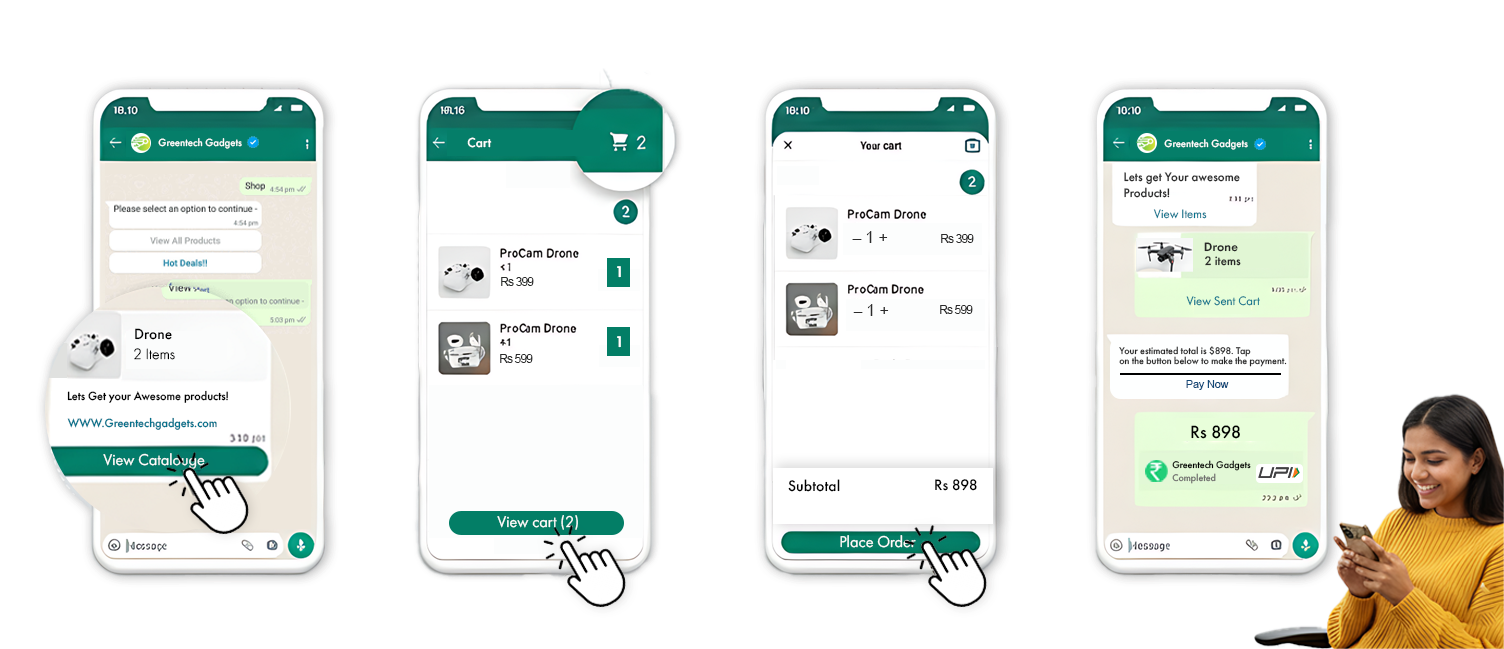
Customer asks for products
You instantly show a rich catalog inside WhatsApp
They add items to cart
They pay securely
They get confirmation — done
No redirects. No distractions. No friction.
Everything happens inside WhatsApp — the app your customers already use every day.
What is a WhatsApp Product Catalogue?
WhatsApp Catalogue enables businesses to display their offerings inside WhatsApp, allowing customers to discover products, review details, and interact — all within a single chat experience.
Smart Categorization
Arrange products into structured collections for easier discovery.
Rich Product Details
Provide visuals, pricing, descriptions, and key information in one place.
Effortless Distribution
Share your catalogue instantly across conversations and campaigns.
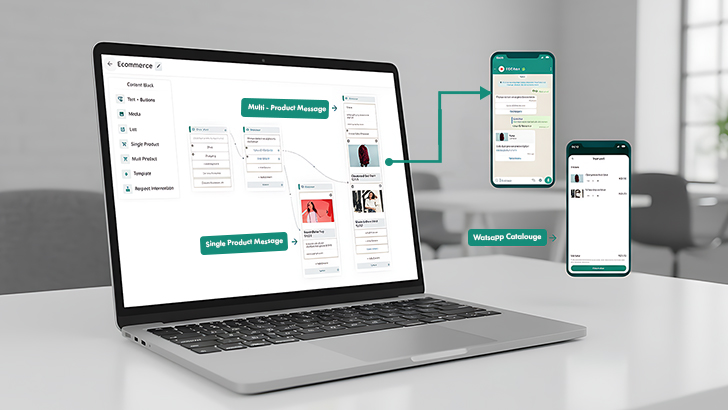
Powerful Commerce Features
Everything you need to run a complete commerce experience inside WhatsApp — no extra apps required.
Product Listings
- Add unlimited products
- Organize by categories
- Add descriptions, pricing, SKUs
Product Variants
- Size, color, weight options
- Dynamic pricing per variant
- Smart selection inside chat
Rich Images & Videos
- Multiple product images
- Video previews
- High-converting visual presentation
Auto Cart System
- One-click "Add to Cart"
- Cart summary inside chat
- Quantity management
- Remove or modify items easily
Payment Integration
- UPI, Cards, Net Banking
- Razorpay / Stripe integration
- COD option
- Payment confirmation automation
Order Tracking
- Automated order confirmation
- Shipping status updates
- Delivery notifications
- Customer support in same chat
How to Enable WhatsApp Catalogue via Rapbooster
Steps enable WhatsApp Catalogues via WhatsApp Business API with Rapbooster
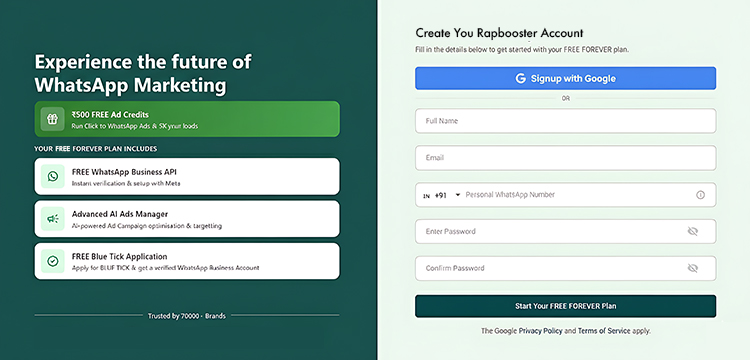
Create a Rapbooster Account and Apply for Free WhatsApp Business API
Sign up at Rapbooster.com and complete your profile.
In your Rapbooster dashboard apply for WhatsApp Business API and and submit your business details.
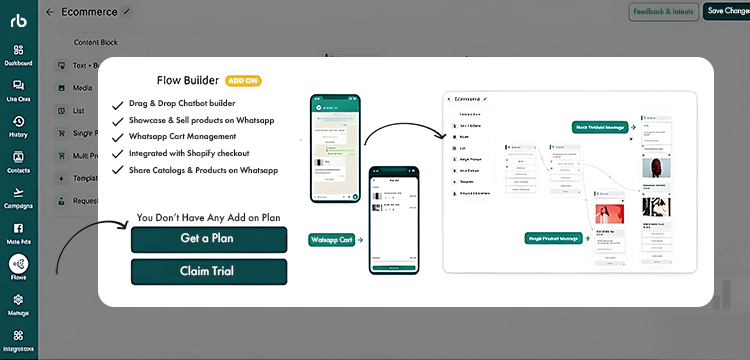
Unlock Flow Builder
Access the Flow Builder in the Rapbooster app under "Flows." Purchase the add-on.
Connect Your Facebook Business Account
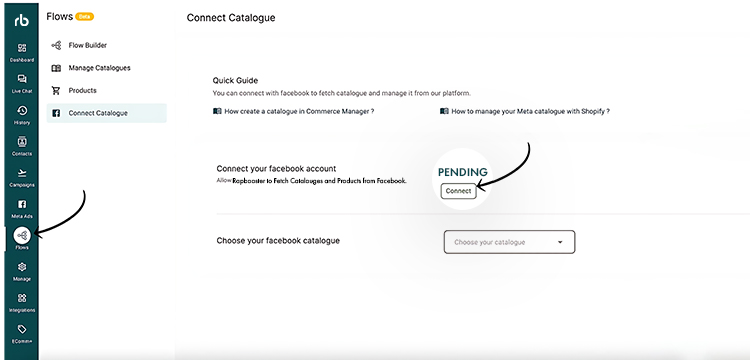
In "Flows," navigate to "Connect Catalogue" and link your Facebook Business account. Ensure your catalogue is already created in Facebook.
Link Your Catalogue to WhatsApp
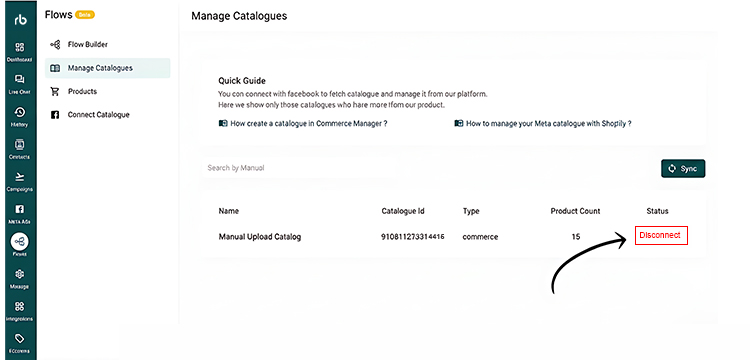
Go to "Manage Catalogue" in Flows and connect the Facebook catalogue you wish to use
Create and Design Your Flow
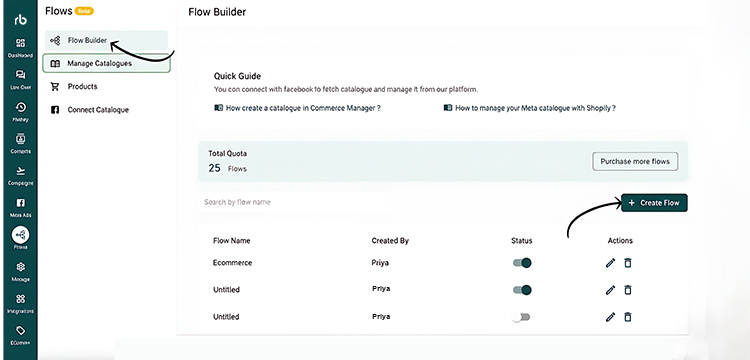
In Flow Builder, click "Create Flow" and design your WhatsApp Catalogue using elements like Text, Quick Replies, Images, and Product Lists.
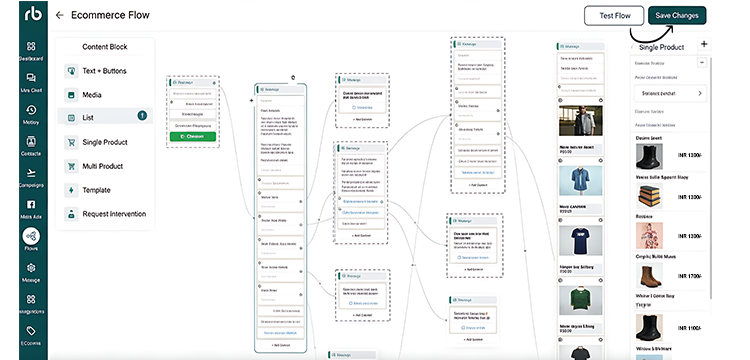
Save and Activate Your Flow
Once satisfied with your flow, click "Save" and enable it to make your catalogue live on WhatsApp.
For a detailed guide, check our tutorial:
Connect your favorite
tools in
one place
Streamline your workflow, sync your data, and keep everything in sync without the hassle.











Frequently Asked Questions
Frequently asked questions answered about WhatsApp Catalogue
The WhatsApp Business App works well for basic catalog setup and smaller teams. For growing businesses that need automation, integrations, and advanced control, creating catalogs via the API with RapBooster is the better choice.
A WhatsApp catalog allows customers to explore products, view details, and make decisions instantly. When combined with RapBooster automation, it reduces manual responses and speeds up support interactions.
Yes. Businesses can showcase digital products such as courses, subscriptions, software, templates, or downloadable resources inside their WhatsApp catalog.
WhatsApp currently supports up to 500 items per catalog, which is suitable for most small and mid-sized businesses managing product listings.
Yes. RapBooster makes it easy to create, edit, organize, and automate catalog management so your product information stays accurate and up to date.
Yes. With RapBooster, you can connect payment links, gateways, or checkout flows so customers can complete purchases directly from WhatsApp conversations.
Ready to grow your business online?
Let RapBooster power your digital marketing success